
Features
The page designer
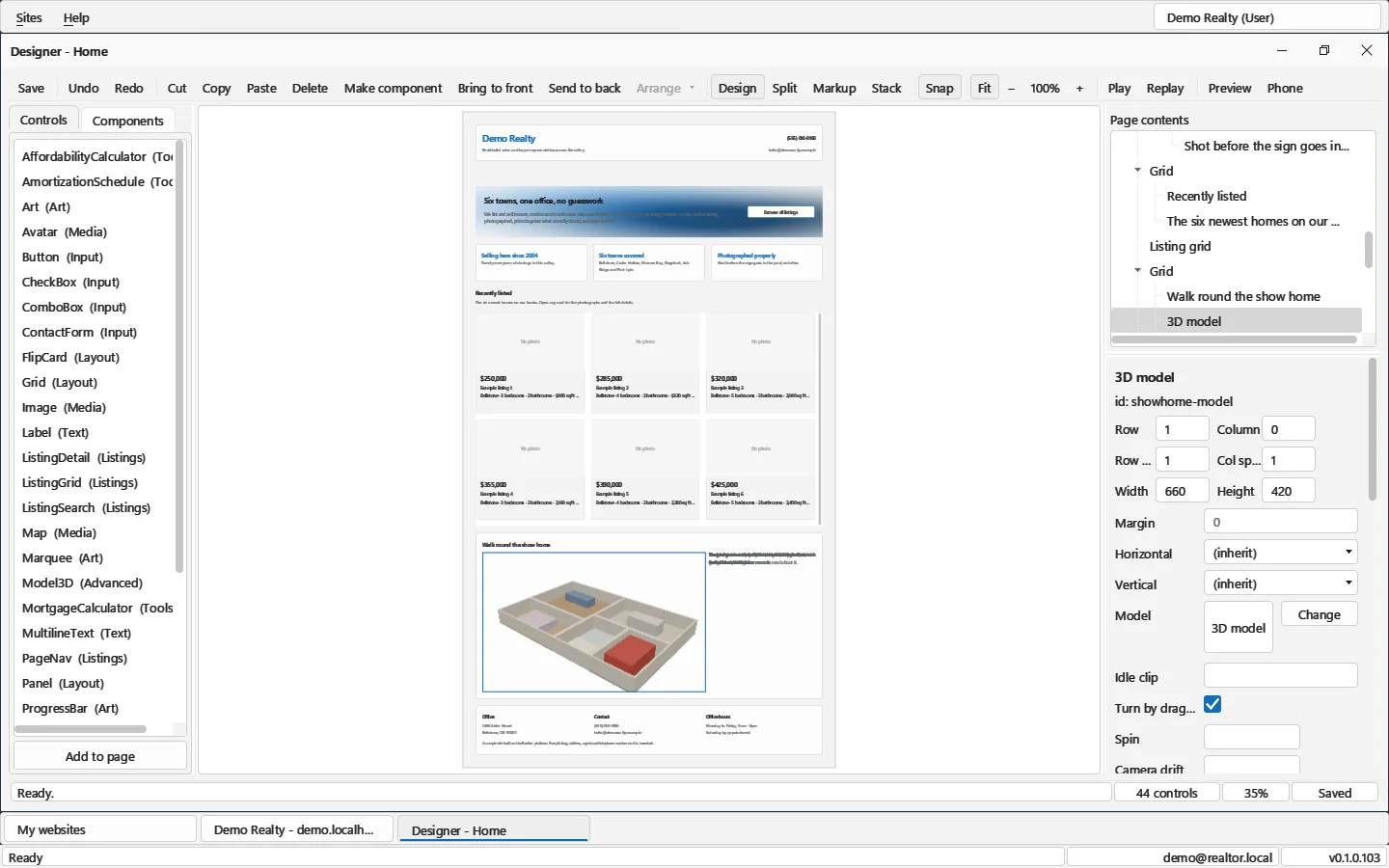
Every page on your site, listings pages included, is designed in the browser. Change the theme later and every page restyles itself, because colors and fonts are chosen by role rather than typed in.
Design by hand
- Drag controls from the toolbox onto the page. Edges snap to their neighbors with guides; hold Alt to place a control anywhere.
- Select several things at once and edit them together. The property grid says where their values differ.
- Align, distribute and make the same size from the Arrange menu.
- Grids, stacks and wrapping rows lay out their contents for you, with alignment and margins on everything. Change a container's layout and its contents come with it.
- Cut, copy and paste between pages, zoom, and reorder the page tree by dragging.
Or edit the markup
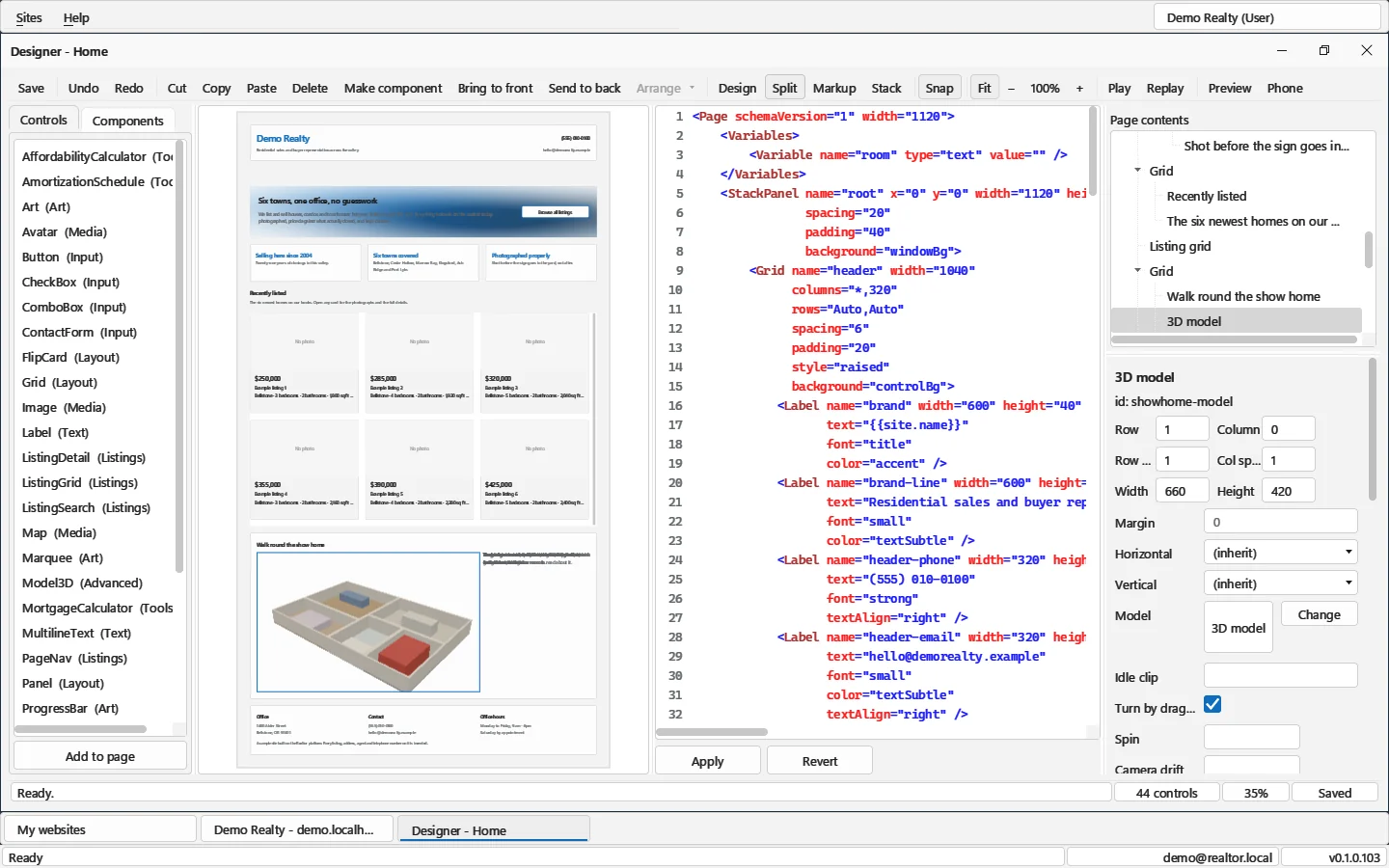
Switch between Design, Split and Markup. The markup view has syntax colors, line numbers, completion and the editing keys you know from Visual Studio, and it stays in step with the canvas both ways. If you make a mistake, the cursor stays on it and your work is kept.
Help → Assistant skills downloads a skill that teaches an AI assistant to write valid page markup for your site.
Phone layouts
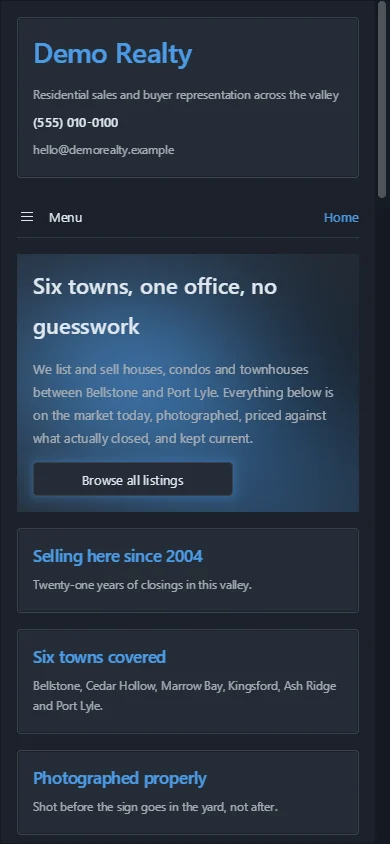
You do not build a second layout. On a narrow screen each page reflows into one column and the menu folds behind a button. The Phone preview shows what a visitor will see.
When you are away from your desk, Quick edit gives you a designer built for touch. Tap to select, drag to move, and long-press for options.
Components
Build a header, a footer or a card once and place it on every page. Edit it and every page that uses it changes. Each placement can carry its own settings, such as a heading or an address.
Every site can also use these ready-made tools: a mortgage calculator, an affordability calculator, a seller net sheet, an office map and an agent card.
Motion, art and 3D
- Entrance, hover and press effects, which can start as each part scrolls into view.
- Animated backgrounds such as aurora, nebula and water, and a library of art and decorative pieces.
- Transitions between pages, and a loading screen you design yourself.
- 3D models (glTF .glb) you can orbit, with parts a visitor can click, such as the rooms of a show home.
Behavior without code
Show and hide parts of a page, react to clicks and hovers, and put remembered values into text. You pick all of this from lists. If you need more, a sandboxed script step can be switched on for each site.
Bring an existing page
Give the designer the address of a page you already have. It brings in the text, tables and pictures, copies the pictures into your site's media, and lists anything it could not bring across.